import kiln

def draw():
    kiln.background(20)
    kiln.fill(255, 220, 120)
    kiln.text("Hello, Kiln!", 40, 60)
    kiln.fill(255)
    kiln.text(3.14159, 40, 90)

show(draw)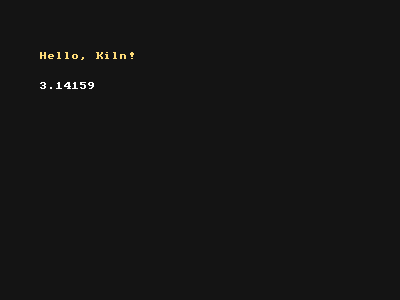
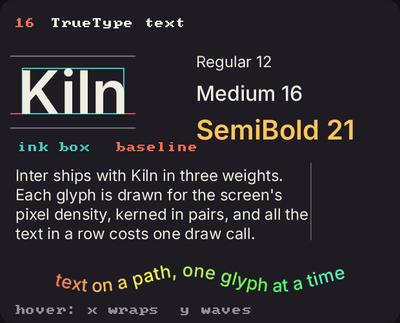
Showcase panel 16: Font: the three Inter weights, an ink box, baseline and metrics, a wrapped paragraph, text on a wave.
Try it live: run uv run python examples/showcase.py, then hover panel 16, or see the showcase.
Kiln has two kinds of text. A tiny pixel font labels a sketch without loading anything: every character is an 8 by 8 grid of dots. For text that should look good, a title, a caption, a poster, Font draws smooth letters from a real font, and Kiln ships one, Inter. Both draw in the current colour. The pixel font comes first; TrueType fonts are further down.
text(s, x, y) puts the text at (x, y), where y is the baseline of the first line: capital letters sit just above it. Anything that is not a string is shown with str(), so numbers just work.
import kiln
def draw():
kiln.background(20)
kiln.fill(255, 220, 120)
kiln.text("Hello, Kiln!", 40, 60)
kiln.fill(255)
kiln.text(3.14159, 40, 90)
show(draw)
A newline starts the next line under the first, and a tab jumps to the next multiple of 8 characters, so columns line up.
import kiln

def draw():
    kiln.background(20)
    kiln.fill(120, 220, 255)
    kiln.text("name\tsize\nsun\t big\nmoon\t small", 40, 80)

show(draw)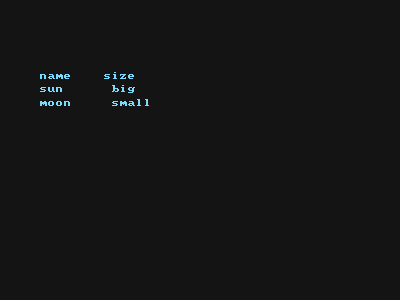
text(s, x, y, background=...) puts the text, in the fill colour, on a box of the background colour. It is the quickest way to label something on a busy picture.
import kiln

def draw():
    kiln.background(30)
    kiln.fill(255, 107, 82)
    kiln.circle(200, 150, 90)
    with kiln.style(fill="white"):
        kiln.text("a big red circle", 100, 150, background="black")
    with kiln.style(fill=kiln.Color(255, 240, 150)):
        kiln.text("coloured label", 100, 220, background=kiln.Color(40, 90, 200))

show(draw)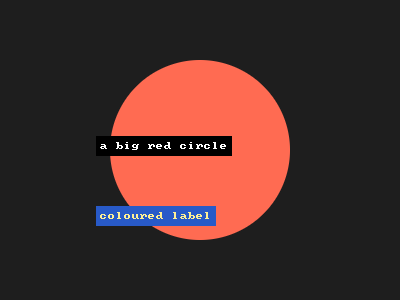
The classic corner readout, using kiln.clock.fps:
import kiln

class Sketch(kiln.App):
    def draw(self):
        kiln.background(20)
        kiln.fill(255, 107, 82)
        kiln.circle(kiln.window.width / 2, kiln.window.height / 2, 60)
        with kiln.style(fill="white"):
            kiln.text(f"fps: {kiln.clock.fps:.0f}", 10, 20, background="black")

show(Sketch(), frames=3)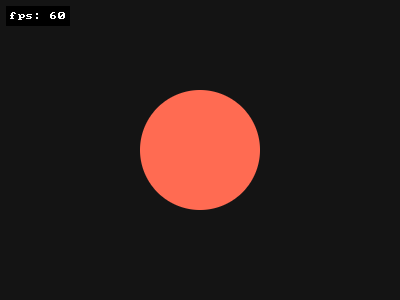
The Kiln-only scale keyword makes the pixels 2, 3 or more times bigger and keeps them sharp. Text also follows the transform, so it can move and turn like any shape, but it is only crisp at whole-number positions and scales on an unrotated grid: turned or fractionally scaled, the font’s big pixels get jagged edges (you will see it on the circle below).
import kiln

def draw():
    kiln.background(20)
    kiln.fill(255)
    kiln.text("small", 20, 40)
    kiln.text("twice", 20, 90, scale=2)
    kiln.fill(255, 220, 120)
    kiln.text("3x", 20, 160, scale=3)

show(draw)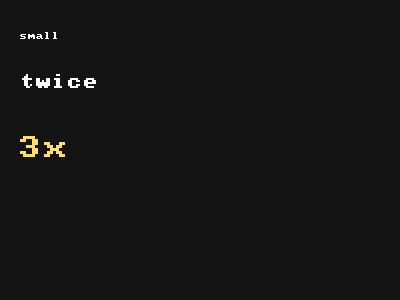
Put each letter at the end of a rotated arm: rotate, move out, draw one character. Remember that letters are drawn from their baseline.
import kiln

def draw():
    kiln.background(20)
    kiln.fill(120, 220, 255)
    text = "around and around and around "
    kiln.translate(200, 150)
    kiln.rotate(math.radians(-90))
    for ch in text:
        with kiln.transform():
            kiln.translate(100, 0)
            kiln.rotate(math.radians(90))
            kiln.text(ch, -4, 4)
        kiln.rotate(math.radians(360 / len(text)))

show(draw)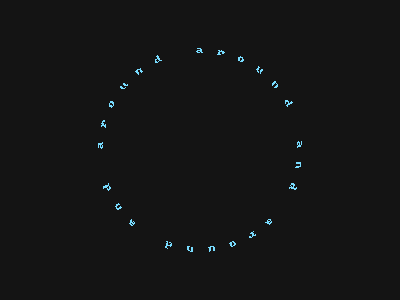
Big letters, a tilted block of small ones, and one highlighted caption.
import kiln

def draw():
    kiln.background(245, 235, 215)
    kiln.fill(230, 80, 60)
    kiln.text("KILN", 30, 110, scale=8)
    kiln.fill(30, 30, 50)
    with kiln.transform():
        kiln.translate(40, 150)
        kiln.rotate(math.radians(-8))
        kiln.text("pixels, fire,\nand a little code.", 0, 0, scale=2)
    with kiln.style(fill=kiln.Color(245, 235, 215)):
        kiln.text("made with kiln", 230, 275, background=kiln.Color(30, 30, 50))

show(draw)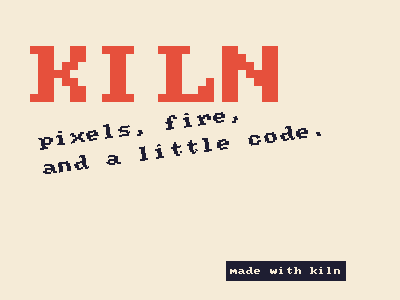
kiln.Font(name, size) loads a font at a size in points. Kiln bundles Inter in three weights, "Inter", "Inter Medium" and "Inter SemiBold"; any other name is the path to a .ttf or .otf file of your own. Make a font once, outside draw (or in setup), then call kiln.text(s, x, y, font=font) as often as you like. As with the pixel font, y is the baseline.
import kiln

title = kiln.Font("Inter SemiBold", 40)
body = kiln.Font("Inter", 16)

def draw():
    kiln.background(20, 20, 25)
    kiln.fill(255, 122, 69)
    kiln.text("Hello, Kiln!", 40, 120, font=title)
    kiln.fill(230)
    kiln.text("Smooth letters, in any colour.", 42, 160, font=body)

show(draw, pixel_ratio=2)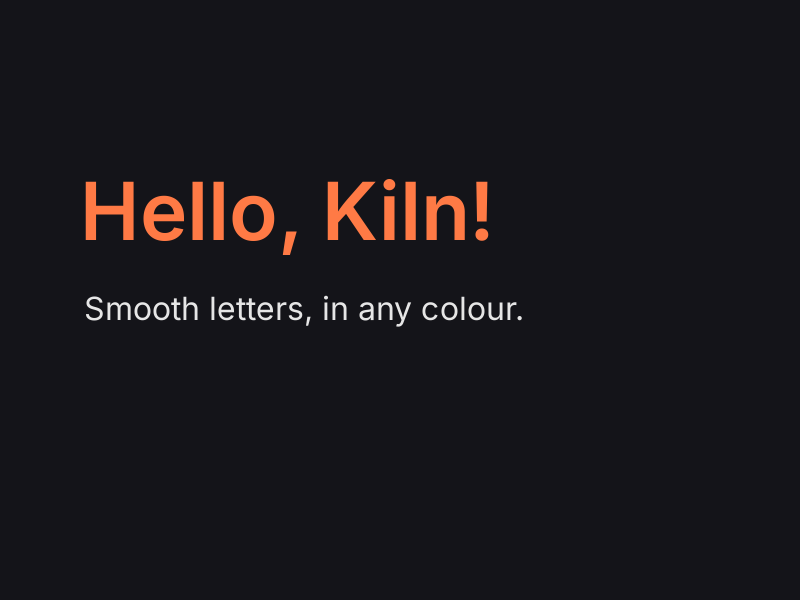
This picture is rendered at twice the pixels, like a Retina screen, and the letters stay sharp: Kiln draws the glyphs for the screen’s pixel density and puts each one on whole pixels.
font.text_width(s) is how far the text advances, so (width - font.text_width(s)) / 2 centres it. font.text_bounds(s, x, y) returns the box around the ink as a kiln.Rect with x, y, width and height, handy for a label’s background.
import kiln

font = kiln.Font("Inter Medium", 32)

def draw():
    kiln.background(245, 240, 230)
    text = "Centred"
    x = (kiln.window.width - font.text_width(text)) / 2
    y = 160
    box = font.text_bounds(text, x, y)
    kiln.fill(255, 122, 69, 70)
    kiln.rect(box.x - 10, box.y - 10, box.width + 20, box.height + 20, radius=8)
    kiln.fill(255, 122, 69)
    kiln.line(0, y, kiln.window.width, y)  # the baseline
    kiln.fill(30, 30, 40)
    kiln.text(text, x, y, font=font)

show(draw, pixel_ratio=2)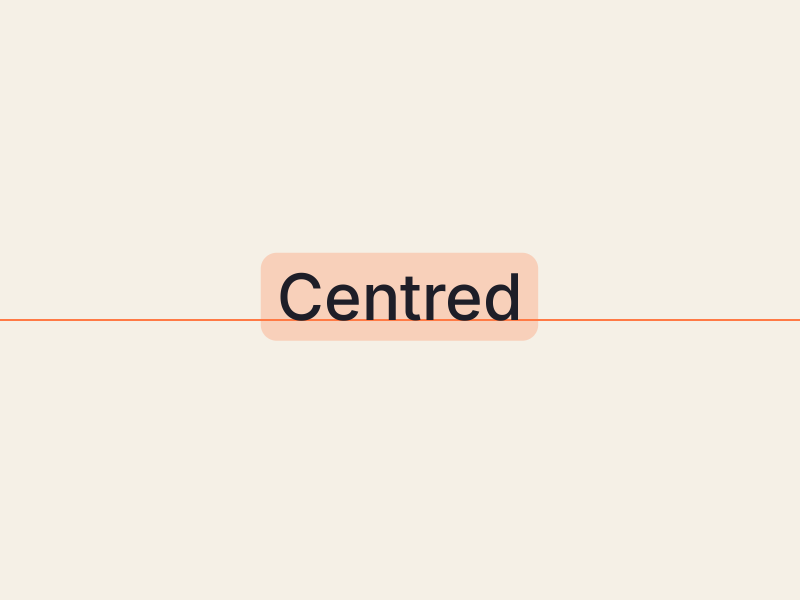
Each weight is its own font. A newline starts the next line line_height points below; set line_height to open the lines up or pack them tight.
import kiln

weights = [kiln.Font(name, 24) for name in ("Inter", "Inter Medium", "Inter SemiBold")]
note = kiln.Font("Inter", 13)
note.line_height = 22

def draw():
    kiln.background(20, 20, 25)
    kiln.fill(255)
    for i, (font, name) in enumerate(zip(weights, ("Regular", "Medium", "SemiBold"))):
        kiln.text(name, 40, 100 + 44 * i, font=font)
    kiln.fill(170)
    kiln.text("A newline starts\nthe next line,\nline_height below.", 230, 100, font=note)

show(draw, pixel_ratio=2)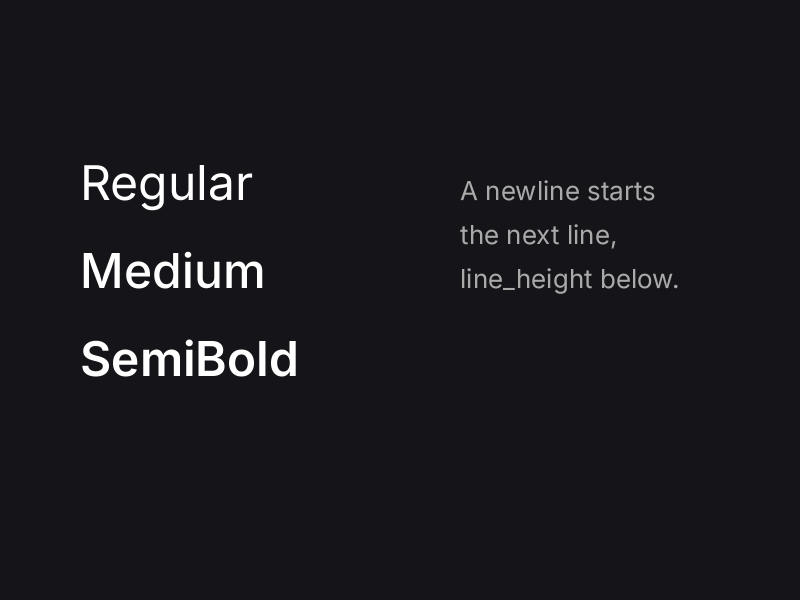
Text follows the transform like any shape. Turned or scaled, it is smoothly filtered instead of snapped to pixels. All the text drawn in a row costs a single draw call, whatever its fonts, so a thousand labels are as cheap as one.
import kiln

font = kiln.Font("Inter SemiBold", 22)

def draw():
    kiln.background(20, 20, 25)
    kiln.translate(200, 150)
    for i in range(12):
        kiln.fill(kiln.Color.from_hsb(i * 18, 170, 255))
        kiln.text("kiln", 36, 8, font=font)
        kiln.rotate(math.radians(30))

show(draw, pixel_ratio=2)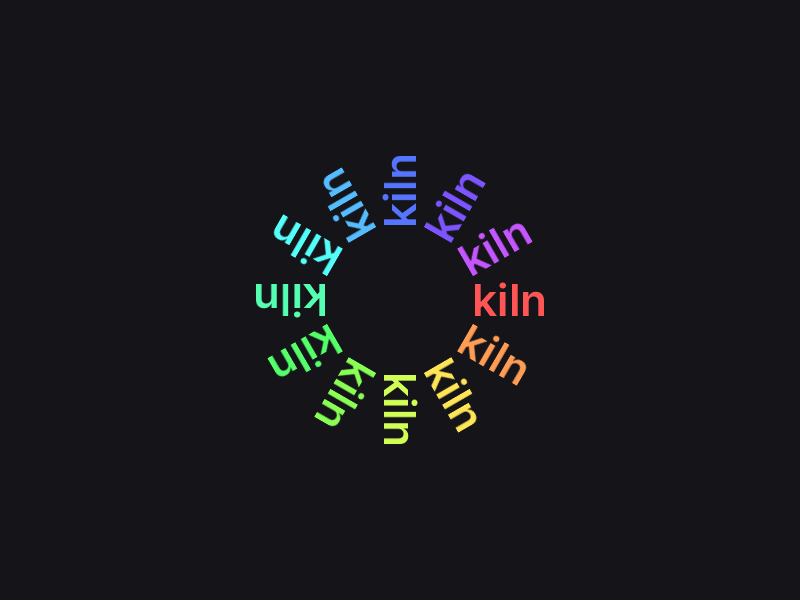
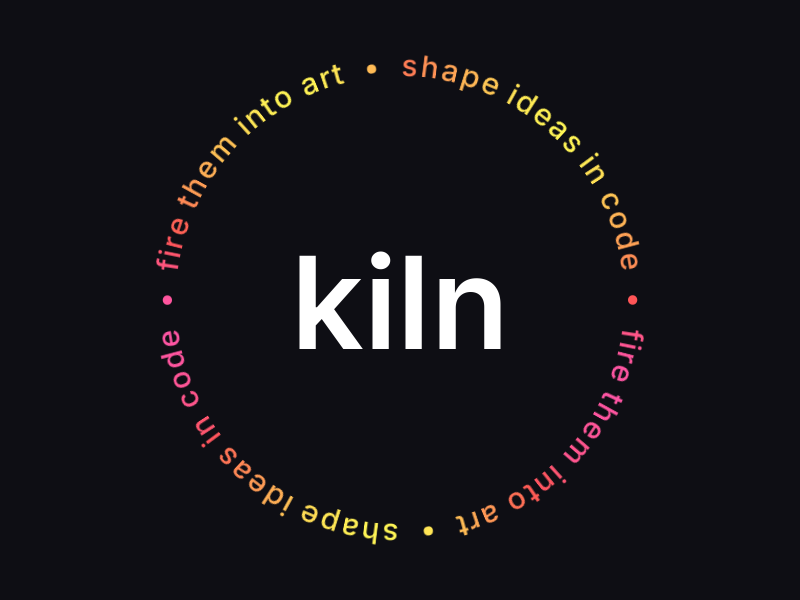
Measure each character with text_width, and walk around a circle: turn, step out, stand the letter up, draw it centred. A big word sits in the middle, centred with its bounding box.
import math

import kiln

word = kiln.Font("Inter SemiBold", 64)
small = kiln.Font("Inter Medium", 15)
ring = "shape ideas in code  •  fire them into art  •  " * 2

def draw():
    kiln.background(14, 14, 20)
    kiln.translate(200, 150)
    radius = 112
    spread = 2 * math.pi * radius / small.text_width(ring)  # stretch the line around
    pen = 0.0
    for i, ch in enumerate(ring):
        w = small.text_width(ch)
        with kiln.transform():
            kiln.rotate((pen + w / 2) * spread / radius - math.pi / 2)
            kiln.translate(radius, 0)
            kiln.rotate(math.radians(90))
            kiln.fill(kiln.Color.from_hsb(10 + 30 * math.sin(i / 6), 170, 255))
            kiln.text(ch, -w / 2, 0, font=small)
        pen += w
    box = word.text_bounds("kiln", 0, 0)
    kiln.fill(255)
    kiln.text("kiln", -box.x - box.width / 2, -box.y - box.height / 2, font=word)

show(draw, pixel_ratio=2)