import kiln

def draw():
    kiln.background(20)
    kiln.fill(255, 107, 82)
    kiln.circle(110, 150, 60)
    kiln.fill(80, 180, 255)
    kiln.ellipse(280, 150, 80, 35)

show(draw)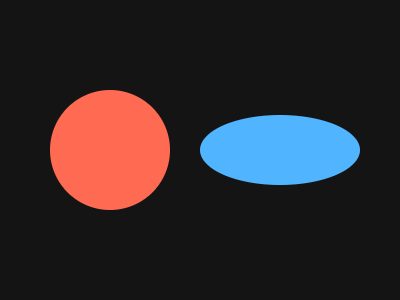
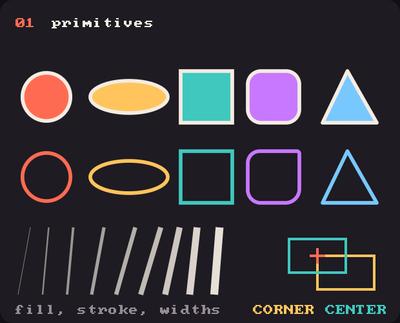
Showcase panel 01: circles, ellipses, rectangles, triangles, fill, stroke and lines; RectMode.CORNER and CENTER.
Try it live: run uv run python examples/showcase.py, then hover panel 01, or see the showcase.
Everything Kiln draws is a shape: you say where, you say how big, and it appears. Each shape is smooth at any size and any zoom, so there is no “resolution” to tune.
circle(x, y, radius) and ellipse(x, y, rx, ry) are both centred on the point you give. Both take radii: an ellipse’s are half its width and half its height.
import kiln
def draw():
kiln.background(20)
kiln.fill(255, 107, 82)
kiln.circle(110, 150, 60)
kiln.fill(80, 180, 255)
kiln.ellipse(280, 150, 80, 35)
show(draw)
fill(None) and a stroke(color) switch every shape to an outline, and fill(color) switches back. stroke(width=w) sets how thick the outline is. The width stays the same all the way around, even on an ellipse.
import kiln

def draw():
    kiln.background(20)
    kiln.fill(None)
    kiln.stroke(255, 220, 120, width=1)
    kiln.ellipse(200, 150, 170, 100)
    kiln.stroke(width=6)
    kiln.ellipse(200, 150, 120, 60)
    kiln.stroke(width=16)
    kiln.ellipse(200, 150, 60, 20)

show(draw)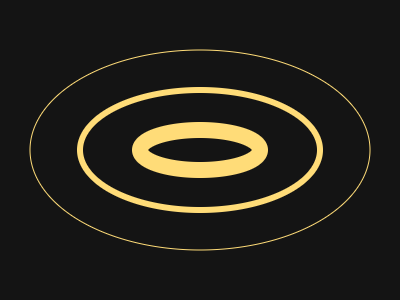
stroke(c) gives every shape an outline in c, drawn on top of its fill: fill is the inside, stroke the edge, and its width= how thick the edge is. Lines take the stroke colour too (the fill colour when there is no stroke). fill(None) draws only the outline, and stroke(None) goes back to fill only.
import kiln

def draw():
    kiln.background(20)
    kiln.stroke(250, 240, 225, width=6)
    kiln.fill(255, 107, 82)
    kiln.circle(80, 120, 52)
    kiln.fill(80, 180, 255)
    kiln.rect(150, 68, 104, 104, radius=22)
    kiln.fill(255, 205, 90)
    kiln.triangle(278, 172, 330, 68, 382, 172)

    kiln.fill(None)                       # outline only, in the stroke colour
    kiln.ellipse(200, 240, 150, 30)
    kiln.stroke(None)                     # back to fill only

show(draw, pixel_ratio=2)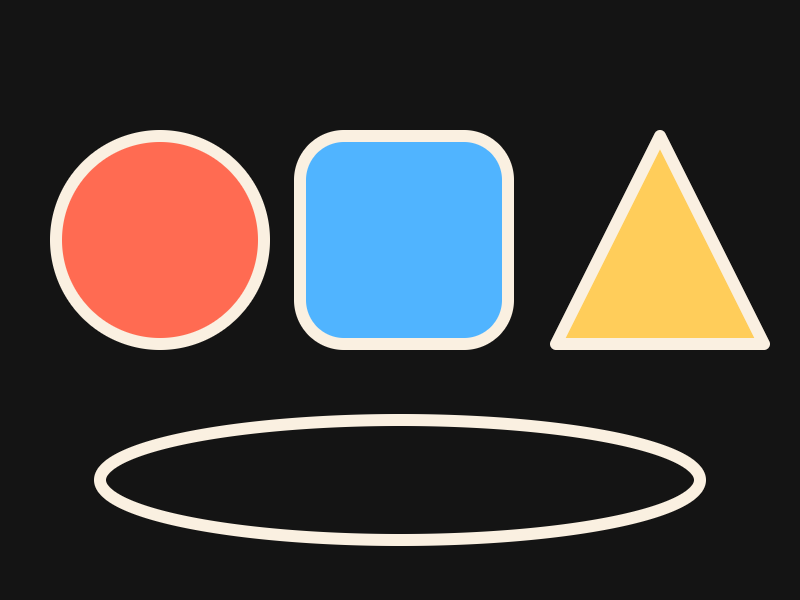
rect(x, y, w, h) reads (x, y) as the top-left corner. After rect_mode(kiln.RectMode.CENTER) it reads it as the centre instead, which is handy for things that grow from the middle. Circles and ellipses are always centred, whatever the mode.
import kiln

def draw():
    kiln.background(20)
    kiln.stroke(None)
    kiln.rect_mode(kiln.RectMode.CORNER)
    kiln.fill(255, 107, 82)
    kiln.rect(100, 100, 100, 100)          # corner mode (the default)

    kiln.rect_mode(kiln.RectMode.CENTER)
    kiln.fill(80, 180, 255, 200)
    kiln.rect(100, 100, 100, 100)          # same numbers, centred
    kiln.fill(255, 255, 255)
    kiln.circle(100, 100, 4)

    kiln.fill(None)
    kiln.stroke(255, 220, 120, width=5)
    kiln.rect(290, 150, 140, 90)

show(draw)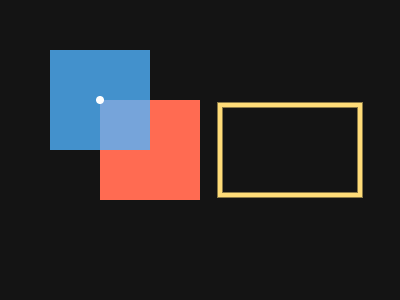
rect(x, y, w, h, radius=r) rounds all four corners. When the corners should differ, radius= takes a tuple of one radius each: top-left, top-right, bottom-right, bottom-left.
import kiln

def draw():
    kiln.background(20)
    kiln.fill(255, 107, 82)
    kiln.rect(30, 60, 150, 180, radius=30)
    kiln.fill(80, 180, 255)
    kiln.rect(220, 60, 150, 180, radius=(0, 60, 0, 20))

show(draw)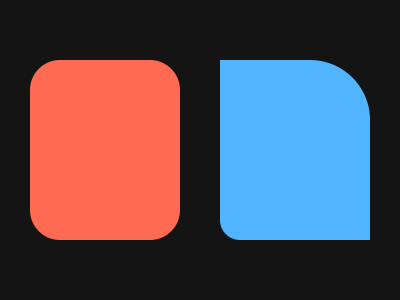
line(x1, y1, x2, y2) is always drawn with the stroke width, filled or not. triangle takes three points, in either direction around.
import kiln

def draw():
    kiln.background(20)
    kiln.fill(255, 220, 120)
    kiln.stroke(None, width=1)
    for i in range(0, 400, 20):
        kiln.line(i, 0, 400 - i, 300)
    kiln.fill(255, 107, 82)
    kiln.triangle(60, 250, 200, 50, 340, 250)
    kiln.fill(None)
    kiln.stroke(255, 255, 255, width=4)
    kiln.triangle(120, 230, 200, 100, 280, 230)

show(draw)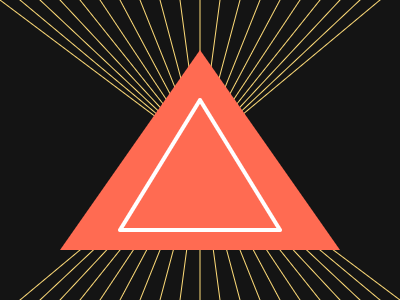
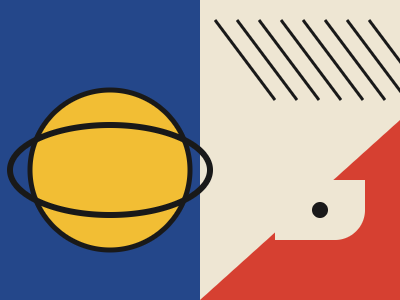
Every primitive, a limited palette, and a grid. Change the numbers and see what happens.
import kiln

def draw():
    kiln.background(238, 230, 211)
    red, blue, yellow, ink = (214, 64, 49), (36, 71, 138), (242, 190, 52), (25, 25, 25)

    kiln.fill(*blue)
    kiln.rect(0, 0, 200, 300)
    kiln.fill(*yellow)
    kiln.stroke(*ink, width=5)          # a yellow disc with an ink rim
    kiln.circle(110, 170, 80)
    kiln.stroke(None)
    kiln.fill(*red)
    kiln.triangle(200, 300, 400, 300, 400, 120)

    kiln.fill(*ink)
    kiln.stroke(width=3)
    for i in range(8):
        kiln.line(215 + i * 22, 20, 215 + i * 22 + 60, 100)
    kiln.fill(None)
    kiln.stroke(*ink, width=6)
    kiln.ellipse(110, 170, 100, 45)
    kiln.stroke(None)
    kiln.rect_mode(kiln.RectMode.CENTER)
    kiln.fill(238, 230, 211)
    kiln.rect(320, 210, 90, 60, radius=(30, 0, 30, 0))
    kiln.fill(*ink)
    kiln.circle(320, 210, 8)
    kiln.rect_mode(kiln.RectMode.CORNER)

show(draw, size=(400, 300))