import kiln
def draw():
kiln.background(20)
kiln.circle(200, 150, 60)
show(draw)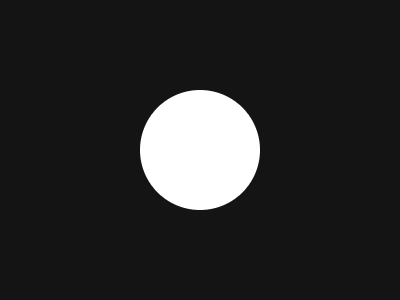
A Kiln sketch is a class. You subclass kiln.App, override the methods you need, and hand an instance to kiln.run.
import kiln

class Sketch(kiln.App):
    def setup(self):      # once, after the window opens
        self.x = 0

    def update(self):     # every frame, before draw
        self.x += 2

    def draw(self):       # every frame
        kiln.background(20)
        kiln.circle(self.x % 400, 150, 30)

    def exit(self):       # once, when the window closes
        print("bye")

kiln.run(Sketch(), 400, 300)
kiln.run(app, width, height) opens a real window and keeps going until you close it or press ESC. The order is always setup, then update and draw repeating, then exit.
In these docs there is no window. Instead we use show(), a small helper that runs your sketch offscreen and displays the rendered frame right here. It accepts a full App, or just a draw function to keep examples short. Everything below is real output from Kiln.
import kiln

def draw():
    kiln.background(20)
    kiln.circle(200, 150, 60)

show(draw)
update runs before every draw, so state you change there animates. show_video renders a run of frames as an animation.
import kiln

class Orbit(kiln.App):
    def setup(self):
        self.t = 0.0

    def update(self):
        self.t += 0.1

    def draw(self):
        import math
        kiln.background(20)
        kiln.fill(255, 107, 82)
        for i in range(6):
            a = self.t + i * math.tau / 6
            kiln.circle(200 + 90 * math.cos(a), 150 + 90 * math.sin(a), 18)

show_video(Orbit(), frames=60, fps=30)The origin is the top-left corner, x grows to the right and y grows downward, as on most screens. Units are logical points, so a sketch looks the same on a Retina screen.
import kiln

def draw():
    kiln.background(20)
    kiln.fill(255)
    kiln.circle(0, 0, 40)       # top-left corner
    kiln.circle(400, 300, 40)   # bottom-right corner
    kiln.fill(255, 107, 82)
    kiln.circle(100, 220, 20)   # lower on screen means larger y

show(draw)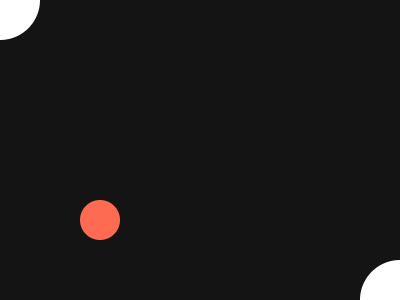
background sets the colour and clears the frame to it. Pass a gray level, a gray with alpha, or red, green, blue (0 to 255).
import kiln

def draw():
    kiln.background(30, 60, 120)
    kiln.fill(255, 220, 120)
    kiln.circle(200, 150, 50)

show(draw)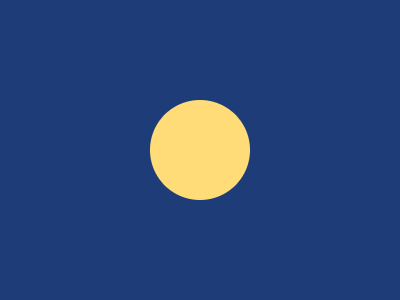
fill sets the colour shapes are filled with, for everything drawn after it. It takes a gray, a gray with alpha, red-green-blue, red-green-blue-alpha, a tuple, a "#rrggbb" hex string or a colour name.
import kiln

def draw():
    kiln.background(20)
    kiln.fill(255)                      # gray
    kiln.circle(60, 80, 36)
    kiln.fill(255, 128)                 # gray + alpha
    kiln.circle(150, 80, 36)
    kiln.fill(230, 70, 50)              # r, g, b
    kiln.circle(240, 80, 36)
    kiln.fill(70, 160, 230, 120)        # r, g, b, alpha
    kiln.circle(330, 80, 36)
    kiln.fill((120, 220, 140))          # a tuple
    kiln.circle(60, 200, 36)
    kiln.fill((120, 220, 140), 90)      # a tuple plus alpha
    kiln.circle(150, 200, 36)

show(draw)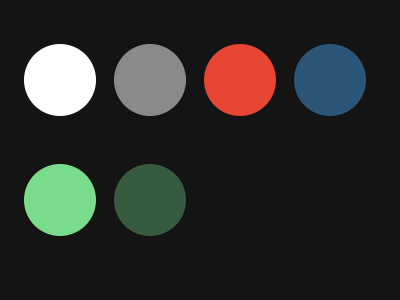
Alpha lets shapes blend with what is underneath, so overlapping translucent circles mix their colours:
import kiln

def draw():
    kiln.background(20)
    kiln.fill(255, 60, 60, 150)
    kiln.circle(160, 130, 70)
    kiln.fill(60, 255, 60, 150)
    kiln.circle(240, 130, 70)
    kiln.fill(60, 60, 255, 150)
    kiln.circle(200, 190, 70)

show(draw)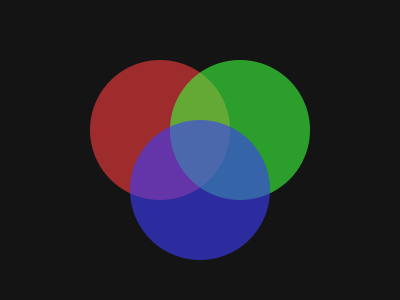
A shape has a fill and a stroke (its outline), each with its own colour, and None turns either off. Shapes are filled and not stroked by default. stroke(color, width=) sets the outline’s colour and how thick it is, in points.
import kiln

def draw():
    kiln.background(20)
    kiln.fill(255)
    kiln.stroke(None)                  # the style lasts from frame to frame
    kiln.circle(100, 150, 60)          # filled

    kiln.fill(None)
    kiln.stroke(255, width=1)
    kiln.circle(250, 150, 60)          # outlined

    kiln.stroke(width=8)
    kiln.circle(250, 150, 35)

show(draw)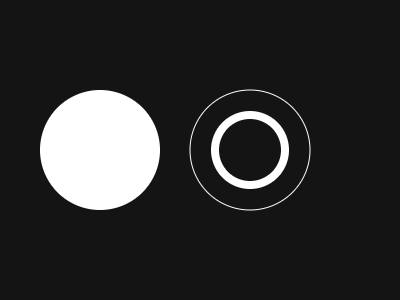
Shapes are drawn in the order you call them, so later shapes cover earlier ones, like layers of paint. Swap the two calls and the overlap swaps too.
import kiln

def draw():
    kiln.background(20)
    kiln.fill(230, 70, 50)
    kiln.circle(160, 150, 70)
    kiln.fill(70, 160, 230)
    kiln.circle(240, 150, 70)   # drawn second, so it sits on top

show(draw)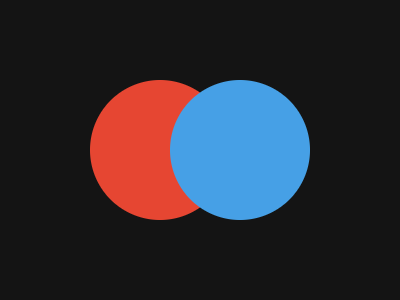
Kiln can play sound too. It is an optional extra, so install it once:
pip install "kiln-gl[sound]" # or: uv add "kiln-gl[sound]"Then make an instrument and play a note:
import kiln

class Sketch(kiln.App):
    def setup(self):
        self.synth = kiln.Synth()   # opens the default audio device
        self.synth.note_on(220)     # an A

    def draw(self):
        kiln.background(20)

kiln.run(Sketch(), 400, 300)
Creating the first instrument opens your Mac’s default output device, so there is nothing to configure. The very first run compiles the sound engine, which takes about 10 seconds; the result is cached on disk, so every run after that starts at once. Keep the instrument on self, or it is gone when setup returns. The Sound tutorial goes on from here.
You now have the lifecycle, a coordinate system, colour, fill and outline (and both together). Naming explains how Kiln’s names are chosen, so you can guess the ones you haven’t met. The Tutorials go further:
kiln.Gui panel lets you tune it while the sketch runs.Fbo and reuses it as a texture.Vbos), shaders, GPGPU particles and instancing put the GPU to work.The Gallery runs the examples: a showcase of the whole API, four original scenes and nine ported sketches. Nine remixes of well-loved sketches have a page of their own, and every function is listed in the Reference. Coming from openFrameworks or p5.js? A page for each maps its names to Kiln’s.