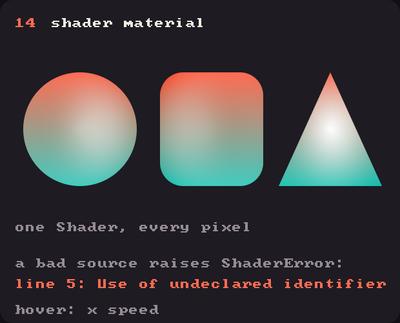
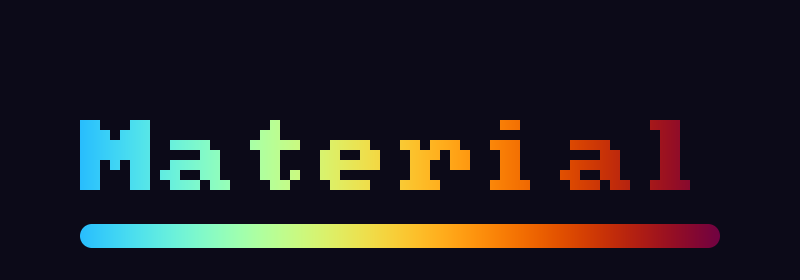
Showcase panel 14: one Shader, every pixel; a bad source raises ShaderError.
Try it live: run uv run python examples/showcase.py, then hover panel 14, or see the showcase.
Everything Kiln draws gets its colour from a tiny program on the GPU. A kiln.Shader lets you write that program yourself, in GLSL, so a circle can glow, a rectangle can fill with a flowing pattern and a photograph can turn into a two-tone print. It is Kiln’s take on the classic GLSL shader object.
In Kiln you don’t write a whole shader. You write one function, a material:
vec4shade(Material m){return m.color;// the colour Kiln would have used}
For every pixel of whatever you draw, Kiln calls shade with that pixel’s Material, and uses the colour you return. Kiln still draws each shape’s smooth, anti-aliased edge after your function, so your shapes stay as crisp as ever.
Material field
What it is
vec4 color
The colour Kiln would use: the fill (or stroke) colour, or for an image its pixel times the tint. 0-1, straight alpha.
vec2 uv
Where the pixel is inside the shape: (0, 0) at the top-left of its bounding box, (1, 1) at the bottom-right. For an image, across its pixels; for a textured mesh, its texture coordinates.
vec2 position
The pixel’s position in window points, (0, 0) at the top-left. Inside an Fbo, in the Fbo’s pixels.
float time
Seconds since the app started.
vec2 resolution
The window’s size in points. Inside an Fbo, the Fbo’s size in pixels.
vec2 mouse
The mouse position in window points.
Your first material
Load a material in setup, then draw inside with shader:. This one mixes two colours across each shape, using m.uv:
Each shape gets its own gradient, because uv runs from 0 to 1 across each shape’s own box. Returning m.color.a as the alpha keeps the fill colour’s transparency working. And look at the edges: they are as smooth as the plain white circle’s.
Drawing a thousand shapes with one material is still a single draw call, so materials are as fast as plain shapes. Create your shaders once, in setup: compiling one takes a few milliseconds, so a new Shader every frame would slow your sketch down.
Uniforms and time
A material can declare uniforms: values you set from Python, as in any GLSL shader. Write shader["name"] = value. Floats, ints, vectors (tuples, numpy arrays or a kiln.Color) and matrices all work; Kiln checks the value against the declaration, so a typo or a wrong size tells you at once.
m.time is the time in seconds, so anything that uses it moves:
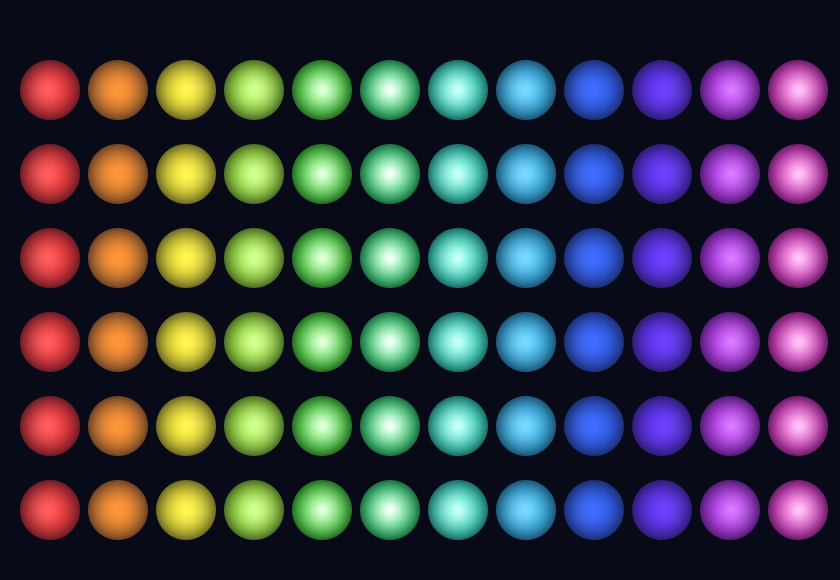
PULSE ="""uniform vec3 glow;uniform float speed;vec4 shade(Material m) { float r = length(m.uv - 0.5) * 2.0; // 0 at the centre, 1 at the rim float wave = 0.5 + 0.5 * sin(m.time * speed - m.position.x * 0.025); vec3 c = mix(glow, vec3(1.0), (1.0 - r) * wave); return vec4(c, m.color.a * (1.0 - 0.6 * r * r));}"""class Pulse(kiln.App):def setup(self): kiln.clock.target_fps =15# real time, so m.time matches the animationself.pulse = kiln.Shader(PULSE)self.pulse["glow"] = kiln.Color(40, 140, 255)self.pulse["speed"] =4.0def draw(self): kiln.background(8, 10, 24)withself.pulse:for i inrange(12):for j inrange(6): kiln.circle(25+ i *34, 45+ j *42, 15)show_video(Pulse(), size=(420, 290))
Changing a uniform between two draws gives each draw its own value: draws before the change keep the old value. Here every column gets its own colour:
class Columns(kiln.App):def setup(self):self.pulse = kiln.Shader(PULSE)self.pulse["speed"] =0.0def draw(self): kiln.background(8, 10, 24)withself.pulse:for i inrange(12):self.pulse["glow"] = kiln.Color.from_hsb(i *20, 200, 255)for j inrange(6): kiln.circle(25+ i *34, 45+ j *42, 15)show(Columns(), size=(420, 290), pixel_ratio=2)
Each change costs one more draw call (12 here), which is cheap; changing a uniform for every single shape of thousands would not be.
Patterns on the whole window
Draw one rectangle over the whole window and the material becomes a canvas, like a Shadertoy. m.position and m.resolution give you the pixel and the window size, so the classic “centre and scale” line works as is:
RIPPLES ="""vec3 palette(float t) { // Inigo Quilez's cosine palette return 0.5 + 0.5 * cos(6.28318 * (t + vec3(0.0, 0.33, 0.67)));}vec4 shade(Material m) { vec2 p = (2.0 * m.position - m.resolution) / m.resolution.y; // -1..1 on y vec3 c = vec3(0.0); for (float i = 0.0; i < 3.0; i++) { p = fract(p * 1.5) - 0.5; float d = length(p) * exp(-length(m.uv - 0.5)); d = abs(sin(d * 8.0 + m.time * 1.5)) / 8.0; c += palette(length(m.uv - 0.5) + i * 0.4 + m.time * 0.2) * pow(0.012 / d, 1.2); } return vec4(c, 1.0);}"""class Ripples(kiln.App):def setup(self): kiln.clock.target_fps =15self.ripples = kiln.Shader(RIPPLES)def draw(self):withself.ripples: kiln.rect(0, 0, kiln.window.width, kiln.window.height)show_video(Ripples(), size=(400, 260), width=320)
The material doesn’t have to fill a rectangle. Draw the same pattern into circles and each one becomes a window onto it, with smooth edges:
class Portholes(kiln.App):def setup(self):self.ripples = kiln.Shader(RIPPLES)def draw(self): kiln.background(14, 12, 20)withself.ripples:for i inrange(5): kiln.circle(50+ i *75, 130+40* (i %2*2-1), 34+6* (i %3))show_video(Portholes(), size=(400, 260))
Materials on images and text
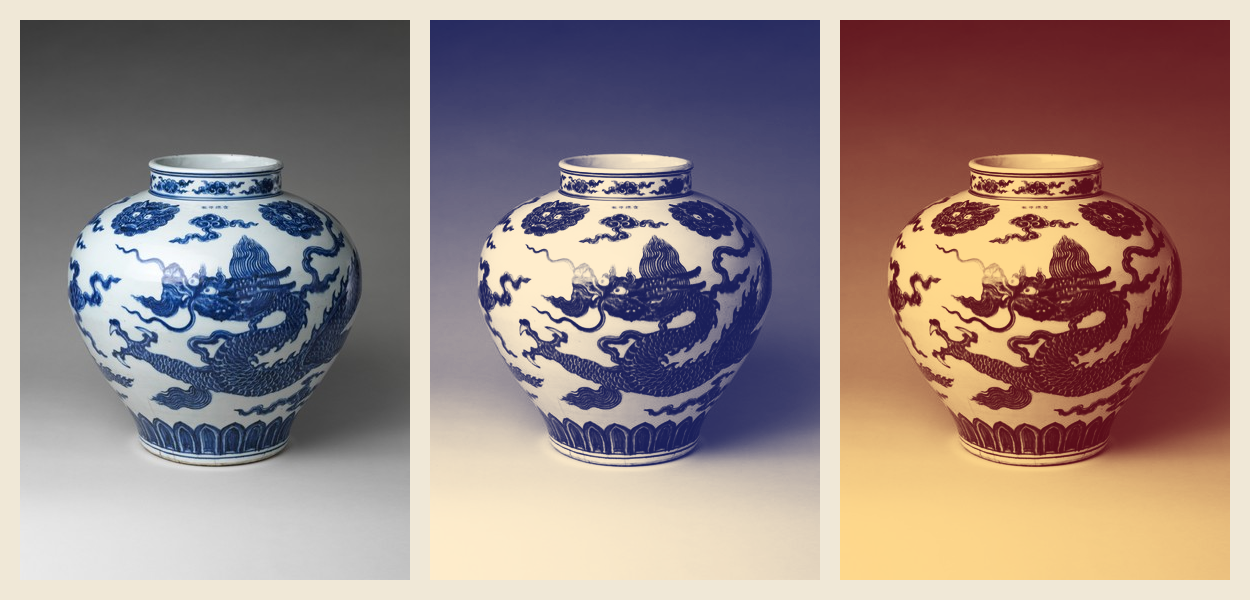
A material works on images too. There, m.color is the image’s pixel (times the tint) and m.uv runs across the image. Here is a two-tone print of the Ming jar (the one from Images): each pixel’s brightness picks a colour between deep ink and warm paper. The same goes for a textured Mesh (m.uv is then its texture coordinates) and for an Fbo’s texture, drawn or sampled.
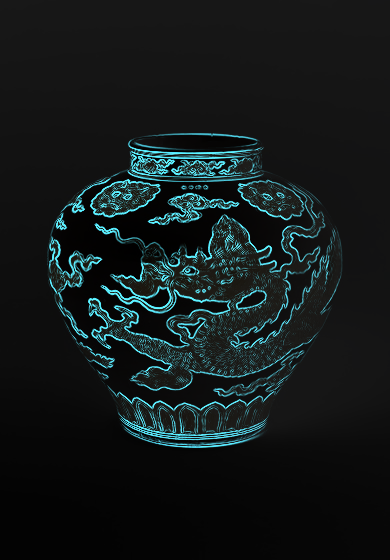
A material can also read any texture you give it. Declare a uniform sampler2D, hand it an Image (or a Texture) with shader["name"] = image, and sample it with texture(name, uv), where uv runs from (0, 0) at the image’s top-left to (1, 1) at its bottom-right. textureSize(name, 0) gives the image’s size in pixels, so one pixel’s step in uv is 1.0 / vec2(textureSize(name, 0)). Sampling the jar’s neighbouring pixels finds its edges, the outline and the brushwork, and those can glow:
Kiln may keep a small texture inside a larger image on the GPU, so it rewrites the lookups that name your sampler to see only that texture’s pixels: texture(jar, uv), textureLod(jar, uv, lod), texelFetch(jar, ivec2(x, y), 0) (texel (0, 0) is the top-left, and pixels outside the image read its edge) and textureSize(jar, 0). Any other lookup, such as textureOffset or textureGrad, a sampler2D passed to one of your functions, or a lookup hidden in a #define, would read the wrong pixels, so Kiln raises a ShaderError on that line instead. Sample by the uniform’s name and pass the uv, or the colour, to your helper functions. A sampler you haven’t given a texture reads transparent black.
Text is drawn with shapes, so materials colour it too. Each letter is its own little shape, so for one gradient across a whole line, use m.position rather than m.uv:
GLSL is strict, and everyone makes typos. When a material doesn’t compile, Kiln raises a kiln.ShaderError that points at your line, counting from the first line of your material, shows that line, and adds the graphics driver’s own message:
from kiln.testing import MouseMove, render_framesBROKEN ="""uniform float speed;vec4 shade(Material m) { vec3 c = m.color.rgb * speeed; return vec4(c, m.color.a);}"""class Typo(kiln.App):def setup(self):try: kiln.Shader(BROKEN)except kiln.ShaderError as error:print(error)render_frames(Typo());
Your material doesn't compile:
  line 4: Use of undeclared identifier 'speeed'
       4 |     vec3 c = m.color.rgb * speeed;
  line 5: Use of undeclared identifier 'c'
       5 |     return vec4(c, m.color.a);

Driver log:
Fragment Shader Error

ERROR: 1:4: Use of undeclared identifier 'speeed'
ERROR: 1:5: Use of undeclared identifier 'c'
Line 4 is vec3 c = m.color.rgb * speeed; (line 1 is the empty line right after the opening """). A missing semicolon is reported on the line after it, as GLSL compilers do, so Kiln shows you the line before as well:
class Semicolon(kiln.App):def setup(self):try: kiln.Shader("""vec4 shade(Material m) { vec3 c = m.color.rgb * 0.5 return vec4(c, m.color.a);}""")except kiln.ShaderError as error:print(str(error).split("Driver log")[0])render_frames(Semicolon());
Your material doesn't compile:
  line 4: 'return' : syntax error: syntax error
       4 |     return vec4(c, m.color.a);
       3 |     vec3 c = m.color.rgb * 0.5   <- missing ';' here?
A material compiles as soon as you create it inside a running app (in setup, say), so errors show up there, not in the middle of drawing. (Only the copy that draws Vbos waits for the first Vbo draw with the shader. It runs the same fragment shader as the copy for textured meshes, which compiles at once, so an error in it still shows up when you create the shader.) You can keep a material in its own file and load it with shader.load_material("glow.glsl"); errors then name the file. Loading a new material into a shader that works keeps the working one if the new one doesn’t compile, so a live-coding reload with a typo doesn’t blank your sketch. (Load it outside with shader:; loading while the shader is active raises.)
Your material is compiled after Kiln’s own code, so your #defines only change your code: #define a 1.0 or #define S smoothstep is fine. A few names belong to the shaders your material joins, though, so don’t declare these yourself (Kiln says so if you do). All of Kiln’s uniforms start with kiln_, and a material can’t declare a uniform starting with kiln_ or gl_; the other names are Kiln’s functions, inputs and outputs:
Your own uniforms are yours on everything you draw, Vbos included: a u_time, a vec3 u_color or a sampler2D u_tex of yours is fine. So is a function of your own with the same name as one of Kiln’s but different parameters.
Raw shaders: when you want the whole program
A material colours what Kiln draws. Sometimes you want more: to move the vertices yourself, or to draw 200,000 points whose positions live on the GPU. For that, a Shader can hold a raw program instead, a whole vertex and fragment shader with their own main(), as in plain OpenGL:
shader = kiln.Shader(vertex=VERTEX_SOURCE, fragment=FRAGMENT_SOURCE)shader.load("wave.vert", "wave.frag") # or from fileswith shader: vbo.draw() # raw programs draw Vbos and Meshes
Kiln passes the Vbo’s data in as position, color and texcoord, and sets modelViewProjectionMatrix, globalColor, resolution, time and a few more if you declare them: the usual names of ported GL code. A shader is one kind or the other: draw shapes, text and images with a material. The GPGPU particles tutorial starts with a raw shader and builds up to a quarter of a million particles simulated on the GPU.
Try this: a glowing reef
Everything at once: a full-window pattern for the water, the jar, edge-lit, and drifting circles whose material follows the mouse. Change the palette, make the circles bigger, or give the jar a duotone instead.
WATER ="""vec4 shade(Material m) { vec2 p = m.position / m.resolution.y; float w = sin(p.x * 9.0 + m.time) + sin(p.y * 7.0 - m.time * 0.8) + sin((p.x + p.y) * 5.0 + m.time * 0.5); vec3 deep = vec3(0.01, 0.03, 0.09), shallow = vec3(0.02, 0.16, 0.24); return vec4(mix(deep, shallow, 0.5 + 0.17 * w) * (1.2 - p.y * 0.4), 1.0);}"""BUBBLE ="""vec4 shade(Material m) { float r = length(m.uv - 0.5) * 2.0; float near = 1.0 - smoothstep(0.0, 180.0, distance(m.position, m.mouse)); vec3 c = mix(vec3(0.2, 0.7, 1.0), vec3(1.0, 0.6, 0.9), near); return vec4(c, m.color.a * (0.25 + 0.75 * r * r));}"""class Reef(kiln.App):def setup(self): kiln.clock.target_fps =15self.water = kiln.Shader(WATER)self.bubble = kiln.Shader(BUBBLE)self.jar = kiln.Image(jar_path)self.glow = kiln.Shader(EDGE_GLOW)self.glow["jar"] =self.jarself.glow["glow"] = (1.0, 0.55, 0.8)def draw(self):withself.water: kiln.rect(0, 0, kiln.window.width, kiln.window.height) kiln.blend(kiln.Blend.ADD)withself.glow:self.jar.draw(130, 10, 195, 280) t = kiln.clock.frame /15withself.bubble:for i inrange(40): x = kiln.noise(i *0.37, t *0.15) * kiln.window.width y = (kiln.noise(i *0.37+40, 0.0) *340- t * (10+ i %5*4)) %320-10 kiln.circle(x, y, 4+ i %4*3) kiln.blend(kiln.Blend.ALPHA)show_video(Reef(), size=(450, 300), events=[(f, MouseMove(60+ f *12, 150)) for f inrange(0, 30, 2)])
Picture: “Jar with dragon”, China, Ming dynasty, Xuande mark and period (1426–35), porcelain painted with cobalt blue under a transparent glaze. The Metropolitan Museum of Art, Gift of Robert E. Tod, 1937 (37.191.1), public domain via Open Access.